SimLab VR Experience Cloud Storage
- Easily share 3D VR experiences across multiple devices using SimLab's secure, collaborative platform.
- - 20GB of storage
- - 10 cloud models
- - Easy pairing (Oculus Quest/Pico)
- - Unlimited clients.
- - No license needed for your clients



Everything You Need to Share VR Experiences

VR Sharing
Share VR Experiences with your clients and colleagues through SimLab VR Viewer and SimLab Composer.


Devices Syncing
Get access to your uploaded and shared VR Experiences from multiple devices instantly.
SimLab VR Sharing can be accessed through
Composer and through SimLab VR Viewer.
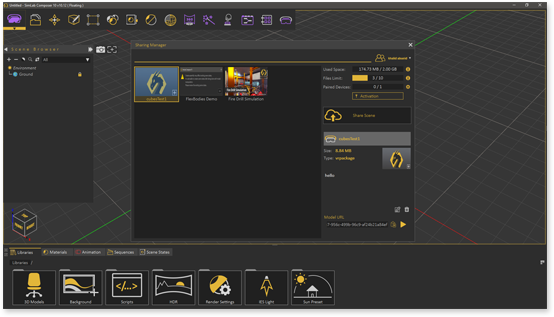
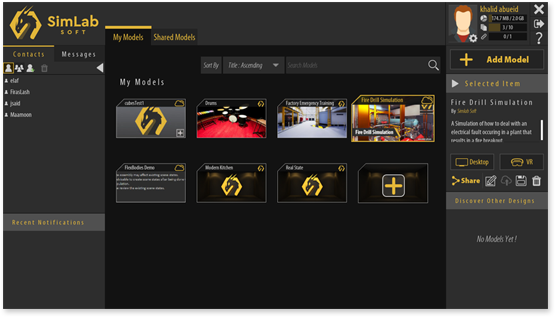


SimLab VR Sharing
Key features

Share your VR Experiences with clients and colleagues securely, or publish them to the VR community.

With the 'Share Back' feature, retrieve the VR Experience you shared along with and modifications and notes made by the recipient.


Click below to Learn more about SimLab VR Sharing
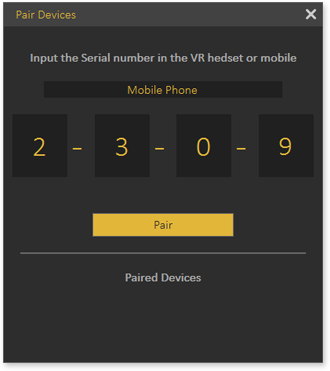
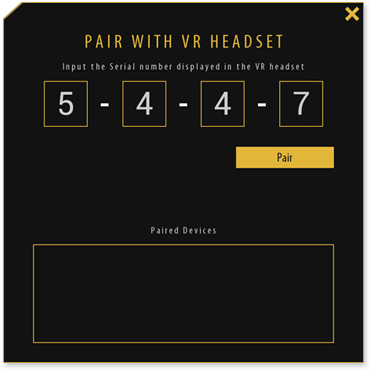
Pairing is a one-step authentication method to connect your mobile devices and VR headsets with your SimLab account.

Syncing your devices and having them paired replaces the need to manually move files to mobile devices and VR headsets using cables.

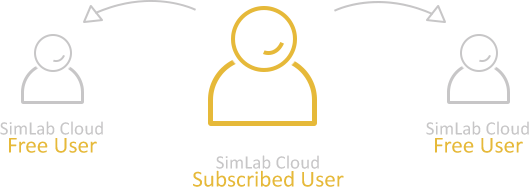
Your clients do not need to purchase SimLab Cloud Storage keys to receive and view the models you shared with them.
Related Content




What is the storage capacity and model limit included with a SimLab Sharing subscription?
A SimLab Sharing subscription includes 20GB of storage and allows for 10 cloud models.

Can clients access shared models without needing their own SimLab license?
Yes, with a SimLab Sharing subscription, unlimited clients can access shared models without needing their own license
What is the "Share Back" feature, and how does it work for design reviews?
The 'Share Back' feature allows you to retrieve shared VR experiences along with any modifications and notes made by the recipient, facilitating efficient feedback loops in design reviews.
How does SimLab Sharing facilitate collaboration across different devices and locations?
It enables cloud sharing of VR experiences and 3D models, device syncing across multiple devices (mobile, tablets, VR headsets) with one-step authentication, and eliminates the need for manual file transfers, allowing remote collaboration anytime, anywhere.
How does SimLab Sharing ensure the security and privacy of my 3D models?
SimLab Sharing securely stores VR experiences and 3D models, and for cloud hosting, it is secured with major cloud providers.