



SimLab Composer Plugin for Inventor – Export to VR, FBX & 3D PDF

Start Free

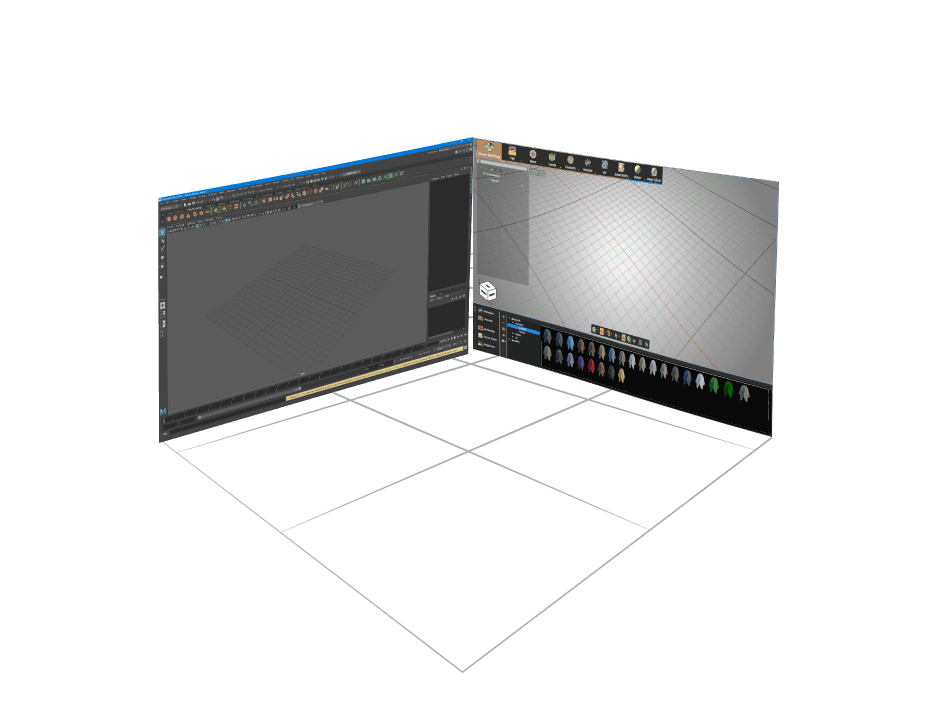
SimLab Composer interface showing Inventor model export to VR and FBX formats 3D mechanical assembly model rendered in SimLab Composer from Inventor

Why SimLab Composer!

SimLab Composer integration plug-in for Inventor is a free tool that acts as a middle layer between Inventor and SimLab Composer app. It creates an active link for keeping the design shared and the data synchronized between Inventor and SimLab Composer.

SimLab Composer is designed mainly to create the most interactive visualization and output variations you need out of your designs, SimLab composer is an easy-to-learn and easy-to-use program, and with SimLab integration there is no need to export and import the model each time, every design step on Inventor will be updated inside Composer while keeping Composer's modifications.

VR headset icon representing virtual reality experiences from Inventor models

VR

SimLab Composer makes it easy to create advanced VR experiences from Inventor models, In a few minutes you can create interactive VR experiences.

High-quality photorealistic rendering icon for Inventor models

Rendering

Render your designs in a very fast and realistic progressive renderer with different outputs: Images, videos and animations, 360 images and more.

Interactive 3D PDF document icon for sharing Inventor models

3DPDF

Share your work with everyone in a very comprehensive way by embedding 3D views inside PDF files

Texture baking process icon for realistic material appearance in Inventor exports

TextureBaking

Apply materials and bake textures to give a very realistic look while viewing the design especially while sharing in 3d PDF and WebGL.

Mechanical simulation icon showing dynamic motion analysis for Inventor assemblies

Mechanical Simulation

Easily create and simulate complex mechanisms, apply different forces and generate graphical data of the simulation for analysis and post-processing

Export FBX from Inventor with SimLab Composer

Transform your Inventor models to FBX format for game engines, VR platforms, and visualization software. SimLab Composer preserves materials, textures, and geometry while optimizing for real-time applications.

Why Export FBX from Inventor?

  • Game Engine Ready: Direct import to Unity, Unreal Engine, Blender
  • VR/AR Compatible: Optimized for immersive VR applications
  • Material Preservation: Keep textures, colors, and surface properties
  • Animation Support: Export moving parts and assemblies
  • Cross-Platform: Works across Windows and macOS

SimLab vs Native Inventor Export

Feature
Native
SimLab
Material Quality
Basic
Excellent
Texture Baking
No
Yes
VR Optimization
No
Yes
File Size
Large
Optimized

How to Export FBX from Inventor

Step 1: Open your Inventor model and install the SimLab Composer plugin
Step 2: Go to the SimLab tab in Inventor ribbon
Step 3: Click "Send to Composer" to launch SimLab Composer
Step 4: In Composer, go to File > Export > FBX
Step 5: Configure quality settings and target platform
Step 6: Export your VR-ready FBX file

How to get it and use it?

  • Download the plugin and install it.
  • Run Inventor.
  • Go to SimLab Tab and find Composer integration Tab as shown in the image.
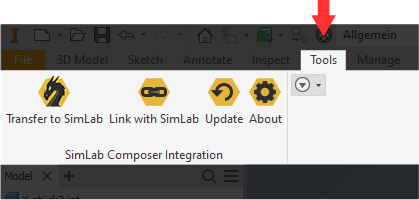
SimLab Composer integration tab in Autodesk Inventor showing plugin interface and export options

Frequently Asked Questions

The SimLab Composer plugin supports Autodesk Inventor 2013 through 2026, including the latest 2025 release. The plugin works on both Windows and macOS platforms, ensuring compatibility across different environments.
Install the SimLab Composer plugin, open your Inventor model, click the SimLab tab, and select "Send to Composer." In Composer, go to File > Export > FBX to export your model with preserved materials and textures optimized for game engines and VR platforms.
Yes! SimLab Composer creates interactive 3D PDF files from Inventor models that anyone can view without special software. The 3D PDFs preserve geometry, materials, and allow interactive viewing, making them perfect for sharing designs with clients or stakeholders.
With SimLab Composer, you can create immersive VR experiences from Inventor models in just a few minutes. The plugin automatically optimizes models for VR platforms, preserves materials and textures, and generates VR-ready files for headsets like Oculus, HTC Vive, and more.
SimLab Composer provides superior material quality, texture baking, VR optimization, and smaller file sizes compared to native Inventor export. While Inventor's built-in export produces basic results, SimLab preserves materials, optimizes geometry, and creates files ready for game engines and VR platforms.
Most models export automatically with default settings. If you encounter issues, try adjusting the scale settings, checking the up vector orientation, or simplifying complex assemblies. The plugin includes controls for model scale and orientation to ensure optimal results for your specific use case.
