
Interaction & Navigation
Smooth, intuitive controls to effortlessly explore and interact in VR.

Advanced Hand Gestures in VR - Natural Interaction
Interact naturally using two-finger gestures or partial hand movements, making grabbing, opening, and manipulating virtual objects feel intuitive and realistic in VR.

Fly Mode Enhancements for VR Navigation
Switch smoothly between fly and walk modes, adjust speed, and enjoy improved controller interactions for seamless navigation in large or complex VR environments.

Switching Interaction Modes
Dynamically change interaction modes, such as drawing, measuring, or building, giving designers full control over the user's VR experience workflow.

Scene Design & Assembly
Build, organize, and assemble complex scenes with precision and ease.
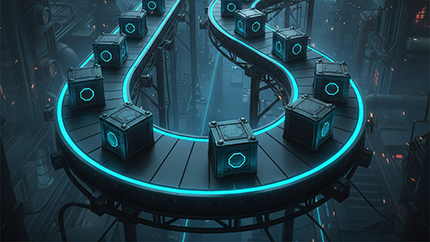
Distribute Objects on Path
Place multiple objects along a path effortlessly, enabling designers to create visually complex scenes faster while maintaining precise alignment and spacing in VR experiences.

Sweep Tool
Automatically split generated sweeps into multiple connected objects, preserving sequence information, which simplifies creating advanced visual effects like simulating fluid flow in VR scenes.

Sub-assembly Support & Custom Components
Disassemble and reassemble subassemblies easily, with advanced response options to control individual parts' assembly states in dynamic VR scenarios.
.jpg)
Assembly Dependency (All vs Any)
Set assembly rules flexibly, choosing whether all components must be removed or any single part allows disassembly, improving mechanical training simulations.

Error Tracking in Assembly
Track and record the number of errors during assembly tasks, enabling designers to measure skill levels and assess learner performance in VR training simulations.

FBX Importer: Eliminate Static Animation
Import only moving parts of FBX models, reducing unnecessary keyframes and allowing partial animations for more efficient and realistic VR simulations.

Training Builder & Logic
Create dynamic, interactive VR experiences with smart logic tools.

Voice Recording Response in VR Training
Record users' voices directly within VR experiences, making it easy to capture answers, collect feedback, and save recordings for analysis or AI-driven insights.

Upload Files to SimLab Vault Response
Enable users to upload files directly into SimLab Vault during VR experiences, simplifying feedback collection, content sharing, and collaboration across teams.
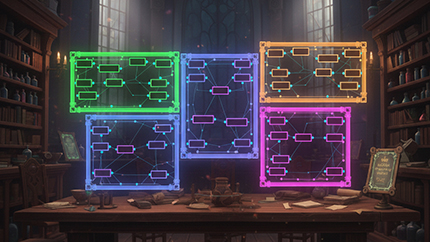
Colored Groups & Notes
Organize your Training Builder logic into colored groups with descriptive notes, making complex VR experiences easier to manage, understand, and share with other creators.

Shareback & Reload as Events
Save, share, and reload user progress as Training Builder events, giving designers precise control over when and how users' VR work is saved or shared.

Import Scene & Import to User
Import entire scenes or place objects directly in front of users, simplifying object placement for both large and small items in VR experiences.

Resource Manager
Manage and package additional resources, including fonts, sounds, images, and data files, ensuring they are available and integrated during VR experiences.

Blend Texture
Combine two or more textures in VR to create entirely new materials, unlocking advanced visual possibilities for medical, educational, or industrial experiences.

On Key Pressed & Released Events
Designers can now trigger VR actions precisely using key press and release events, providing more control over interactive 3D menus in desktop and VR.

AI & Intelligence
Smarter AI, faster responses, and flexible AI integration options.

AI Upgrade: GPT-4.1 Integration & Faster VR Responses
Experience smarter AI with GPT-4.1 and significantly faster voice responses that begin playback instantly, improving the responsiveness and interactivity of VR experiences.

Choose AI Provider & Model
Select your preferred AI provider and model for VR experiences, including free or paid options, offering flexibility and cost-efficient AI integration.
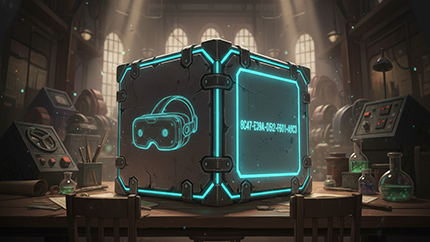
Include AI Key in Experience
Embed an AI key directly into your experience, allowing users to interact with AI without needing personal API keys or additional setup steps.

Performance & Quality of Life
Optimized performance and features for smoother VR experiences everywhere.

Flex Bodies Optimization for Smooth VR Performance
Flex Bodies now run much smoother and faster on all devices, enabling more animations and complex interactions without performance slowdowns or lag in VR experiences.

Better VR Rendering on Quest, Vive & All Devices
Achieve realistic lighting, shadows, and reflections across all devices, even lower-end VR headsets, with baked lighting merged seamlessly with multiple material types.

Download & Use External Files
Import external assets like textures, images, or models directly into your VR experience, updating content in real time without modifying the original package.

Save Visual Settings
Store material and environment modifications created in SimLab VR Viewer, then apply them directly to your scene inside SimLab Composer or SimLab VR Studio.
Looking for Previous Versions?
Explore features from earlier releases of SimLab Composer
View Older UpdatesReady to Experience Composer 15?
Start building faster, smarter, and more immersive projects with the latest release.
Discover Composer 15