SketchUp Virtual Reality Plugin - Transform Designs into VR Experiences
SimLab VR Plugin is your easy, fast, and complete path from SketchUp to virtual reality. Export SketchUp models to VR in minutes with support for Meta Quest, Oculus, HTC Vive, and more.

Compatible with Windows and macOS
Supports SketchUp 8+ to SketchUp 2026
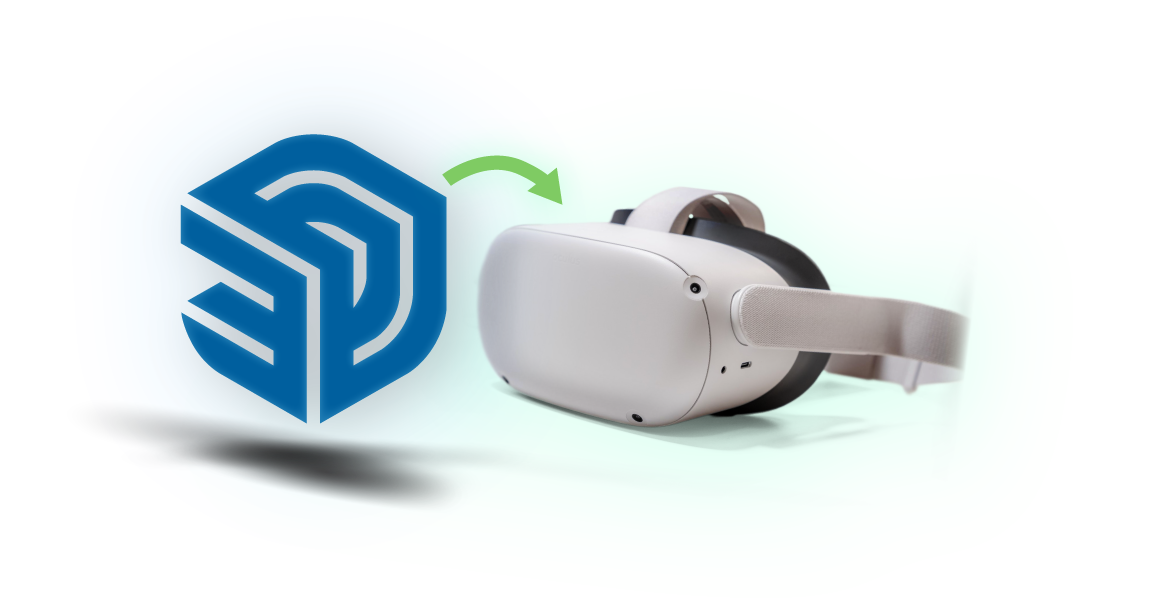
Supported SketchUp Versions & VR Headsets
Complete compatibility with all SketchUp versions from SketchUp 8 to SketchUp 2026, and seamless integration with all major VR headsets including the latest Meta Quest 3 Pro.
SketchUp 8 to 2026
Full backward compatibility with all SketchUp versions from SketchUp 8 through the latest SketchUp 2026, ensuring your existing projects work seamlessly.
Meta Quest Series
Native support for Meta Quest 2, Quest 3, and Quest Pro with direct wireless sharing and optimized performance for standalone VR.
Oculus & HTC Vive
Full compatibility with Oculus Rift, Rift S, HTC Vive, HTC Vive Pro, and all SteamVR-compatible headsets for professional workflows.
Cross-Platform VR
Supports Pico VR headsets, smartphone VR solutions, and emerging VR platforms with automatic format optimization.
Why Choose SimLab SketchUp VR Plugin?
The fastest and easiest way to transform your SketchUp designs into immersive virtual reality experiences. One-click export, unlimited client sharing, and comprehensive VR headset support.
Free for 3 Months Trial
Our VR plugin for SketchUp is free for the first 3 months. Start exploring limitless possibilities without any cost!
Fast and Easy Export
One-click to export SketchUp models to VR in under 5 minutes. Share them directly to all devices including Meta Quest and HTC Vive.
Cross Platform Compatibility
Supported on all platforms and provides special quick sharing techniques for wireless VR headsets such as Meta Quest and PICO VR Headsets
Integrated with SketchUp
Our VR plugin integrates directly with SketchUp's interface for seamless VR experience creation with familiar controls and minimal learning curve.
How to Export SketchUp to VR in 3 Easy Steps
Find it
Place your VR Sharing toolbar for quick and easy access to the SimLab VR plugin for SketchUp
One Click Setup
Run the model, place your viewers preferred start position and hit the RUN button to view your SketchUp model in VR
Quick Share
One-click on the SHARE button gives you a public link that you can share with your clients for instant VR viewing
Get Feedback
Measurements and notes tools for the client so they can inspect the design and type their notes and drawings on the scene
Much more...
Dig deeper with SimLab VR features such as water, lights, environments, a 3D library, and more
Professional VR Applications for Architecture & Design
Transform your architectural and interior design projects into immersive VR experiences for client presentations, design reviews, and virtual walkthroughs.
Architecture Visualization
Present building designs and architectural concepts in immersive VR for client walkthroughs and design validation.
Interior Design VR
Showcase interior spaces, furniture layouts, and material selections in virtual reality for enhanced client communication.
Real Estate VR Tours
Create virtual property tours and real estate presentations that allow remote viewing and immersive property exploration.
Construction Planning
Use VR for construction visualization, progress tracking, and collaborative project planning with stakeholders.


Yearly Subscription
SketchUp VR Plugin
SketchUp
VR Plugin
- 20GB of cloud storage
- 10 Cloud models
- Easy pairing (Meta Quest/Pico)
- Unlimited client sharing
All Features

Easy to Use
Quick and simple to use, no extra skills are needed. Most users create their first VR experience within 10 minutes.

Multiple Platform Support
Run it on Windows or Mac PC, or any major VR Headset like HTC Vive and Meta Quest (Quest 2, Quest 3, Quest Pro), Oculus Rift, Pico headsets

Quick Sharing
Share and view your SketchUp virtual reality and 3D designs and scenes with one click with everyone. Unlimited client sharing included.
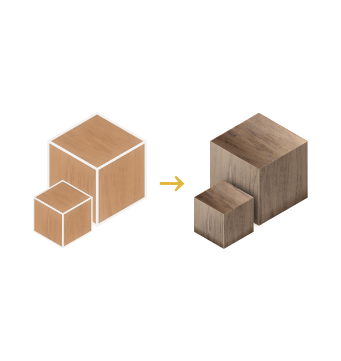
Enhanced Textures
Auto-generated bump and normal maps for different materials to give realistic and shiny output with enhanced VR rendering.

IES Lights
Insert different real-looking lights with many IES light options for realistic architectural lighting in VR.
Navigation Modes
View the scene in different modes; Walking, 3D orbit, or even flying mode for comprehensive VR exploration.
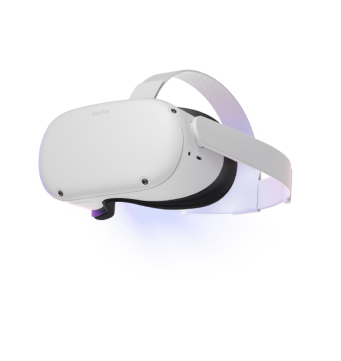
Directly to Quest
Share your scenes directly to stand-alone devices Meta Quest (Quest 2, Quest 3, Quest Pro), Pico VR, and smartphones.

Frequently Asked Questions
Does the SketchUp VR plugin work with SketchUp 2026?
Yes, our VR plugin supports SketchUp 2026 and all versions back to SketchUp 8, ensuring compatibility across all modern and legacy installations.
Which VR headsets are compatible with SketchUp VR?
The plugin supports all major VR headsets including Meta Quest 2/3/Pro, Oculus Rift, HTC Vive, HTC Vive Pro, Pico VR, and smartphone VR solutions.
How long does it take to export SketchUp models to VR?
Export typically takes 2-5 minutes depending on model complexity. Our one-click export process is designed for speed and simplicity with minimal setup required.
Can I share my SketchUp VR experiences with clients?
Yes, you get unlimited client sharing with 20GB cloud storage. Clients can view your VR models without installing SketchUp or our plugin.
What's the learning curve for SketchUp VR?
Very minimal - most users create their first VR experience within 10 minutes. The plugin integrates directly into SketchUp's interface with familiar controls.
Does the VR plugin support SketchUp materials and textures?
Yes, all SketchUp materials, textures, and lighting are automatically converted and enhanced for VR viewing with realistic rendering.
Is there a free trial for the SketchUp VR plugin?
Yes, we offer a 3-month free trial with full functionality including 3 free cloud models and unlimited sharing capabilities.
What happens after 3 months?
If you want to continue using the plugin you can buy the license here is the link.
Can I export my model without defining a startup position?
Yes, you can, the plugin will automatically place a suitable starter position, you can also change the navigation mode from the plugin settings into the mechanical mode so the user can orbit around the model.
How many models can I upload?
Users can upload up to 3 cloud models for free, and you can delete the three free models and upload as many as you can. In case the user needs to upgrade cloud capabilities here is the link
How can I share my models with other users?
In the following steps, we are going to learn how to share our designs directly from SketchUp into Meta Quest device, right from here