Composer
AnimationAdd life to your 3D/VR visualization, SimLab Animation

What is SimLab Animation Workbench
SimLab Animation workbench is the best place to edit, manage and create animations.



Why SimLab Animation?

More than 25 3D files are supported for import, and various types of animations in those formats can be read and edited.

Auto Keyframe is capturing, Auto Ease between keys, Ready animation templates, keyframes grouping, and much more.

You can do a lot more with your animations than just playing them, you can create controllable clips out of your selected keyframes.

SimLab animations can be utilized in various visualization outputs, it can be used for rendering, 3D pdf outputs, WebGL, and VR.
Features
Animate Everything
All elements in the 3D scene are animatable, object movement, visibility, materials, camera attributes, Light animations, and more. Auto ease keyframe options are also available, timeline scaling, and more.
Animation Sequences
Animation sequences are the backbone of the interactivity in SimLab Animations. it works as animation clips for specific objects that can be used in many different ways in all types of outputs.

Flex Animations
Import models with flex animations, control them in the animation timeline, convert them into animation sequences and make them interactive as well.

Interactive Animations
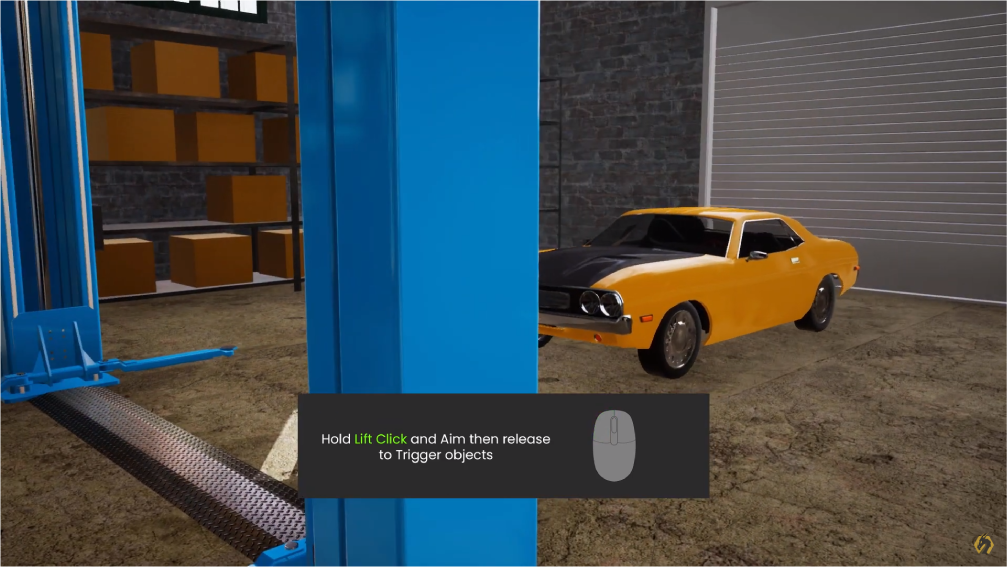
Add Interactive animations into VR experiences, you can map any animation sequence into a controllable movement in VR where you can grab the controller and move it to control the animation.
Where to use it?
3D models with animations can be exported inside PDF files that can be opened using Adobe Acrobat on any device.
Learn more
WEBGL
You can upload your model and embed it into the web with its animations, you can also define actions to control those animations.
View Examples
Rendering
Creating an animated rendered movie is the first and one of the most used outputS in the 3D industry.
View Examples
VR
You can utilize all types of animations in different ways in VR experiences. learn more about creating VR experiences here.
How to?